1. 配置前置条件
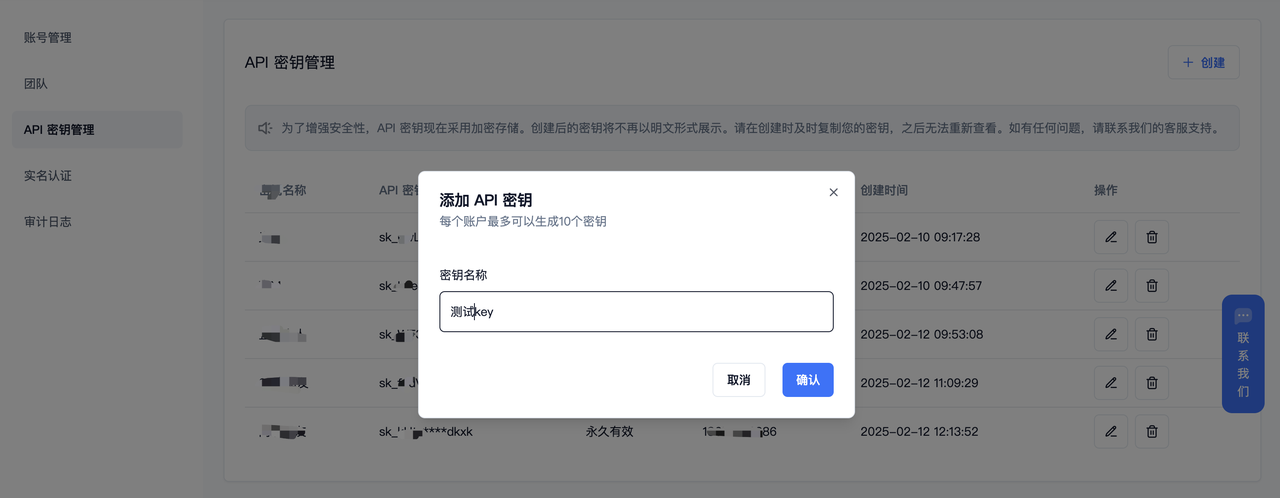
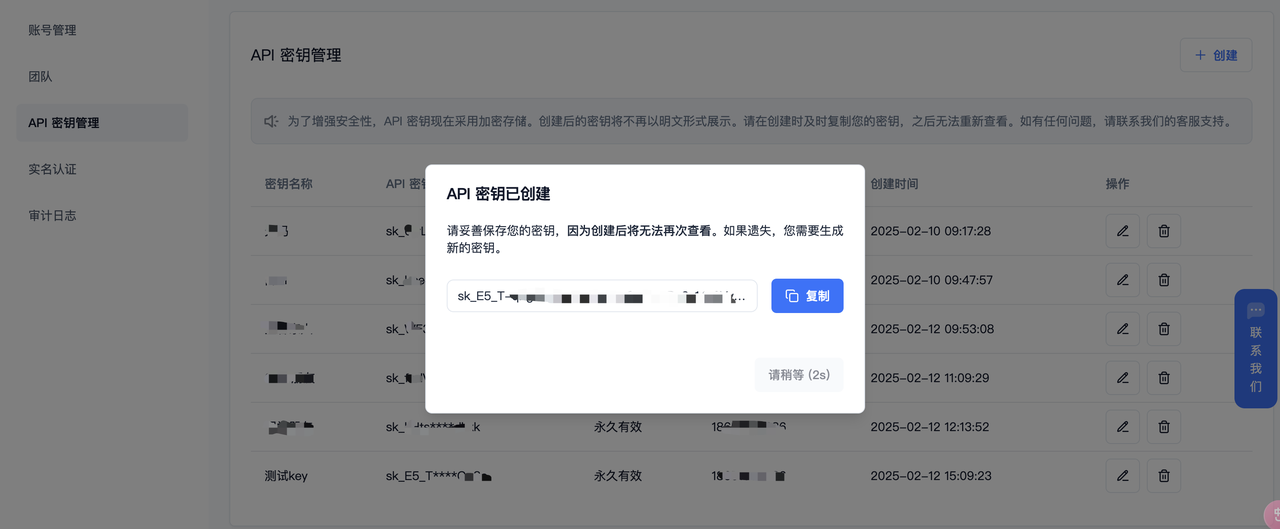
(1)获取【API Base URL】:固定为:https://api.ppio.com/openai (2)获取【API Key】:登录派欧云控制台API密钥管理页面,点击创建按钮。注册账号填写邀请码【VOJL20】并完成实名认证得 5 代金券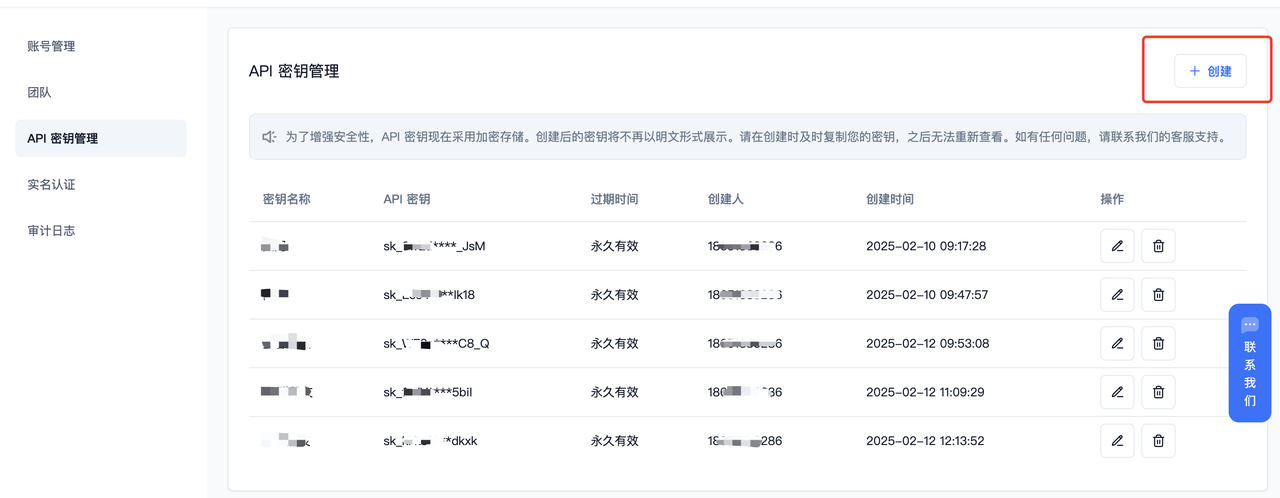
- deepseek/deepseek-r1-turbo
- deepseek/deepseek-v3-turbo
- deepseek/deepseek-v3
- qwen/qwq-32b
2. 安装 OpenManus
在PPIO官网准备好信息后,具体安装指南参考:安装指南。下列安装教程以windows系统,以安装指南中的“方式二”为例。 (1)继续在系统command prompt中克隆存储库3. 配置 OpenManus
(1)在目录中创建一个config.toml文件config
config/config.toml,更改【model】,【base_url】,【api_key】。
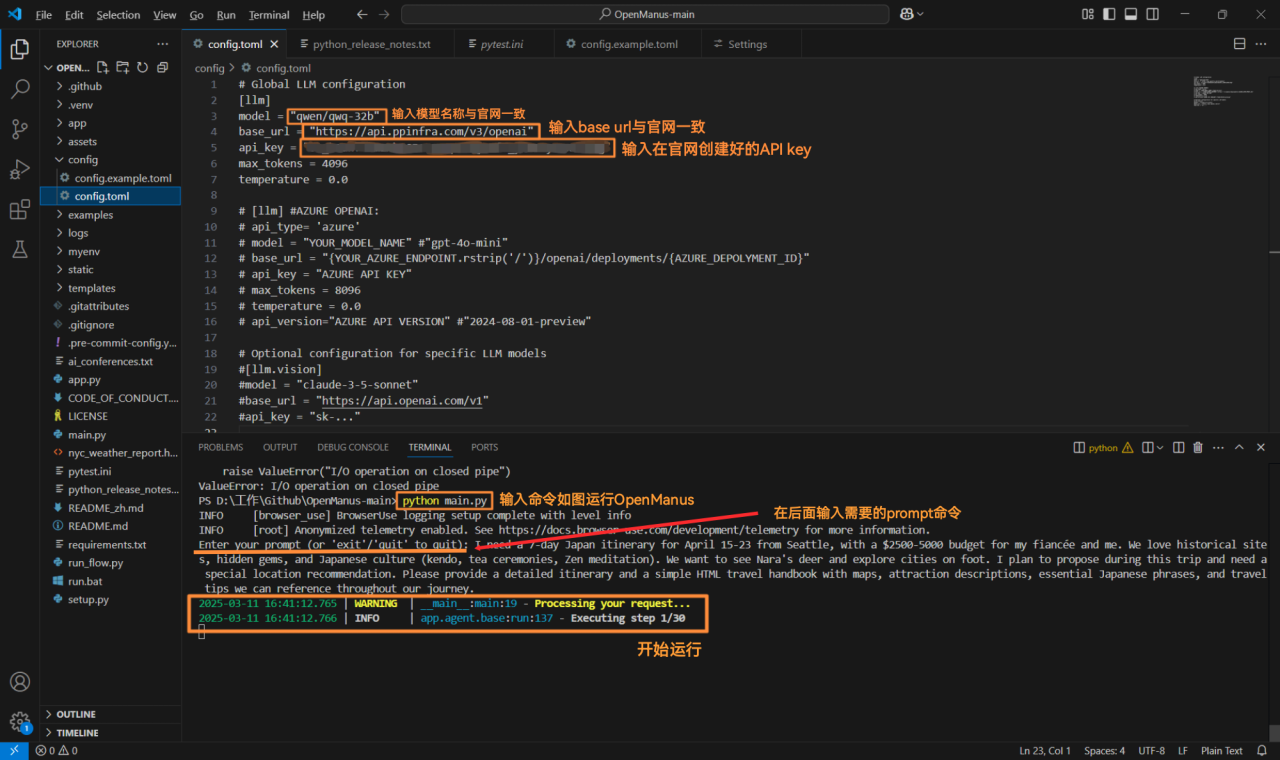
- 可修改【api_key】后粘贴更改下列代码到
config.toml
- 运行 OpenManus ,然后在
enter your prompt后输入需求
4. 运行效果展示
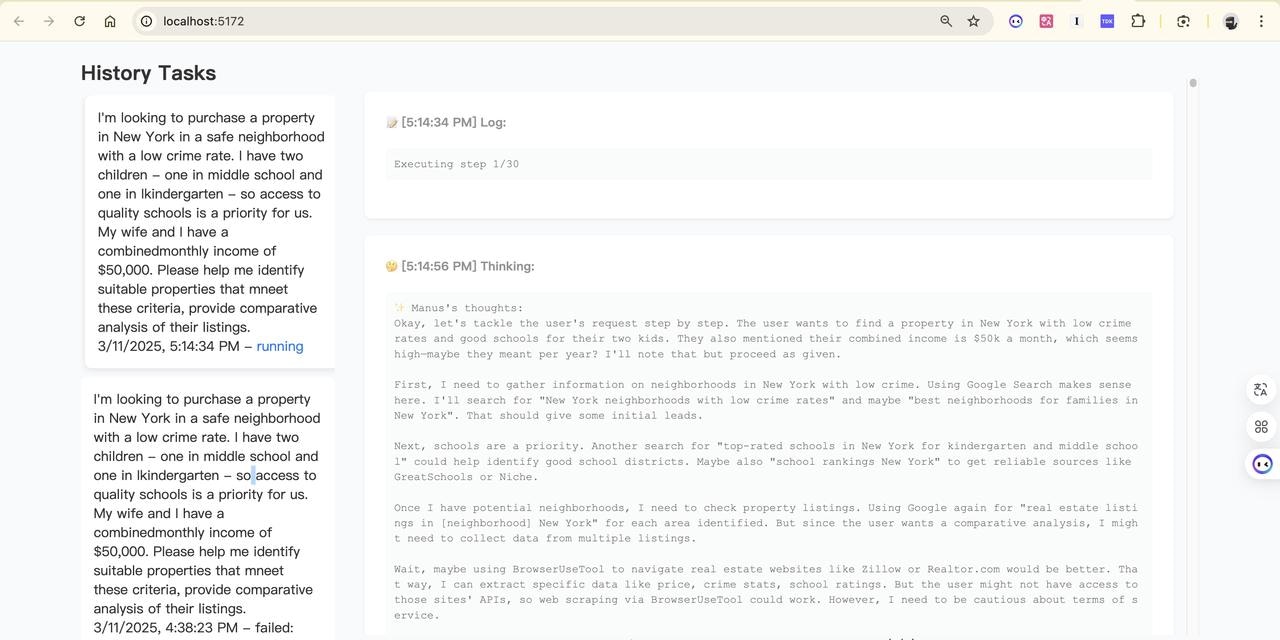
成功启动后,输入一个生产旅行计划的prompt: I need a 7-day Japan itinerary for April 15-23 from Seattle, with a $2500-5000 budget for my fiancée and me. We love historical sites, hidden gems, and Japanese culture (kendo, tea ceremonies, Zen meditation). We want to see Nara’s deer and explore cities on foot. I plan to propose during this trip and need a special location recommendation. Please provide a detailed itinerary and a simple HTML travel handbook with maps, attraction descriptions, essential Japanese phrases, and travel tips we can reference throughout our journey. (1)终端页面效果展示 OpenManus 同样提供了前端界面可用。在项目目录下切换到 “front-end” 分支并重新安装依赖后运行 python app.py,成功运行后在浏览器访问:http://localhost:5172/,即可使用前端界面版本。.jpg?fit=max&auto=format&n=gkx64qIVVA0YXPyk&q=85&s=42c15b7338efe6ea76dc850248f0a3a2)